
What are Payout Settings and why do I need them?
Laatst bewerkt:
Deze inhoud is nog niet vertaald.
Payout Settings tell us where to pay your charging revenue each month. There are two payout methods:
- Stripe — useful if you want Stripe’s reporting and payout controls, or already have a Stripe account. To meet Know Your Customer (KYC) rules, Stripe may ask you to verify your identity. There are no fees for this Stripe account.
- Bank account — we pay your revenue straight into your bank account each month.
Set up your payouts
Section titled “Set up your payouts”-
With Manage selected at the top, go to Account > Settings > Payout settings
-
Choose Stripe or Bank account.
-
For a bank account, enter the account holder and bank details.
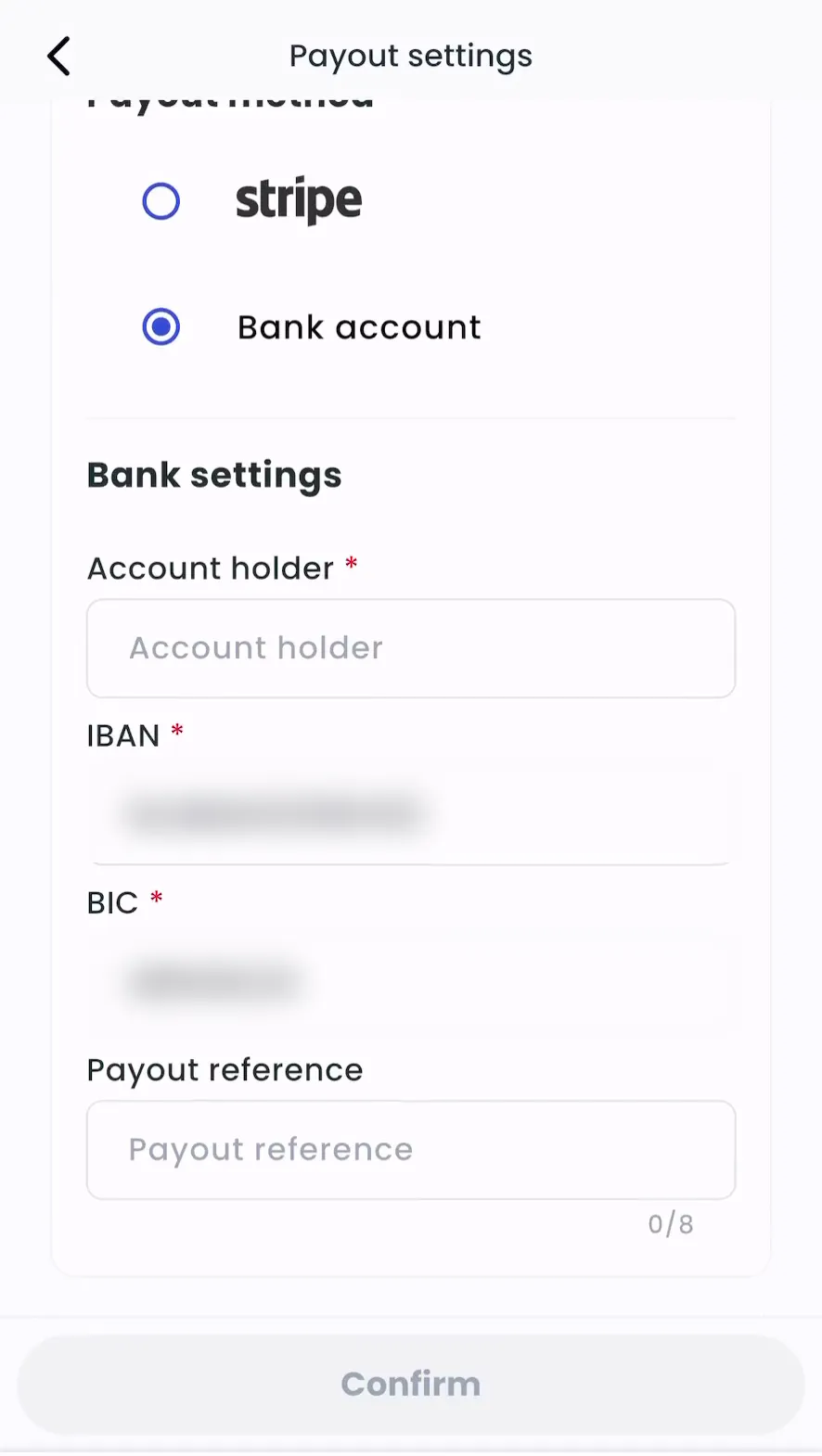
-
Tap Confirm.
-
Admin > Account > Settings > Payouts > Manage payouts
-
If you operate in more than one country, select the Country.
-
Choose Stripe and click open Stripe to create or link a Stripe account, or choose Bank account and enter your bank details.
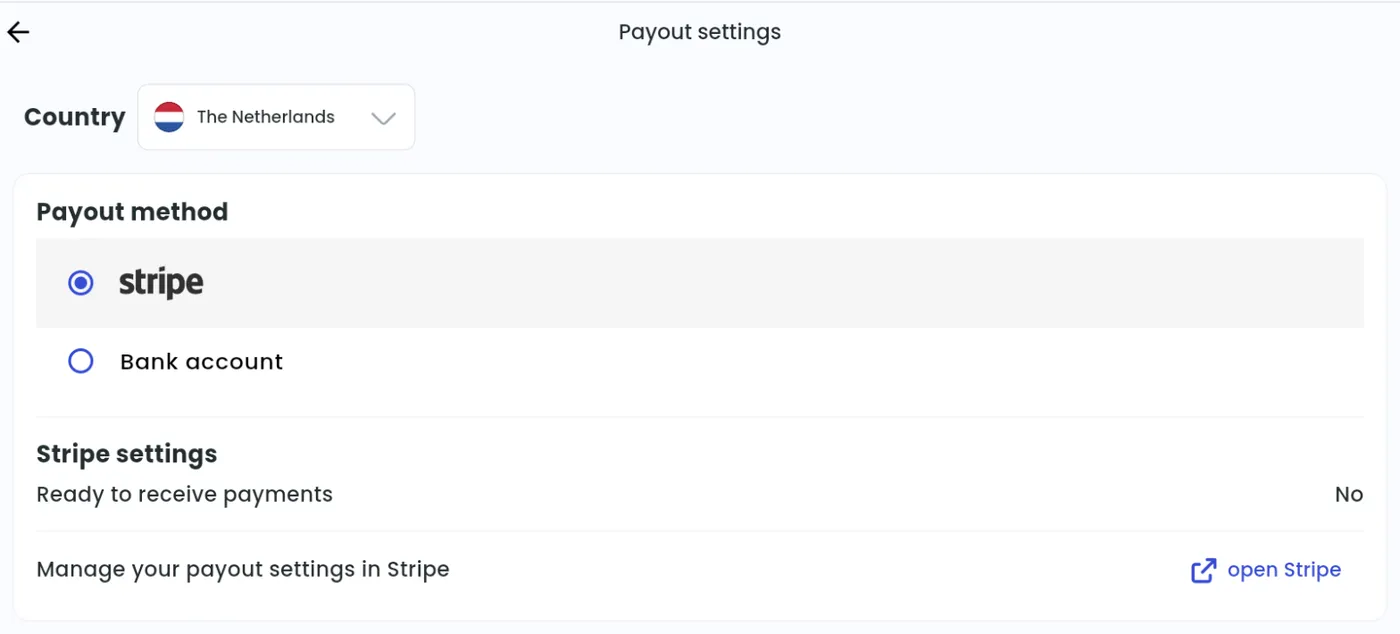
-
Click Confirm.
Bank details by country:
- United Kingdom: sort code and account number
- Europe: IBAN (a BIC is not required within the SEPA zone)