
How do I manage my driver payment methods?
Last updated:
Only available in the Tap app
Pay for charging, or for your How do Tap subscriptions work?, with any of these payment methods:
- Apple Pay
- Google Pay
- Visa and Mastercard (credit or debit)
- American Express
- Direct debit (SEPA), verified with iDEAL
Add a payment method
Section titled “Add a payment method”-
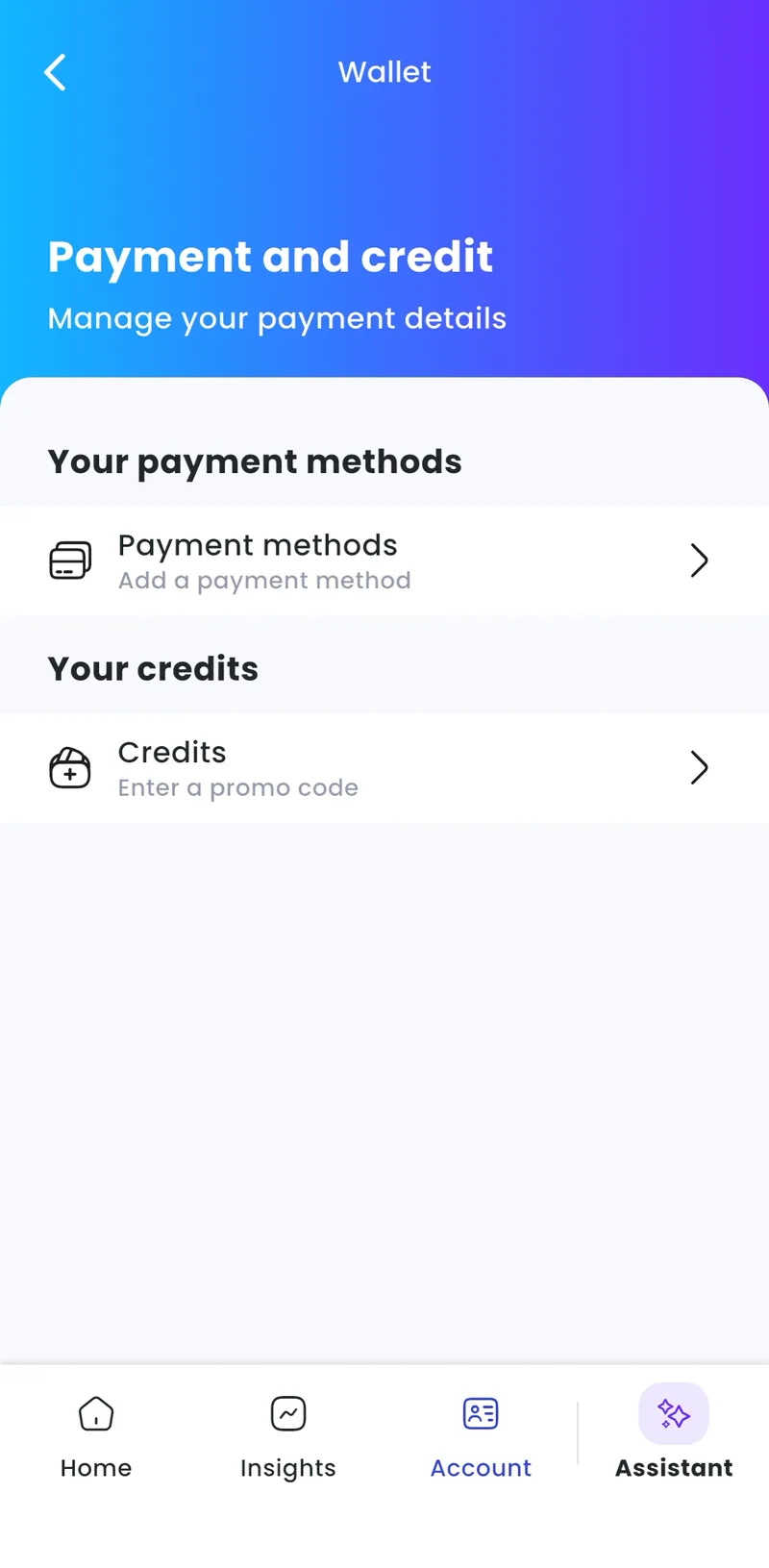
With Charge selected at the top, go to Account > Wallet > Payment methods.
-
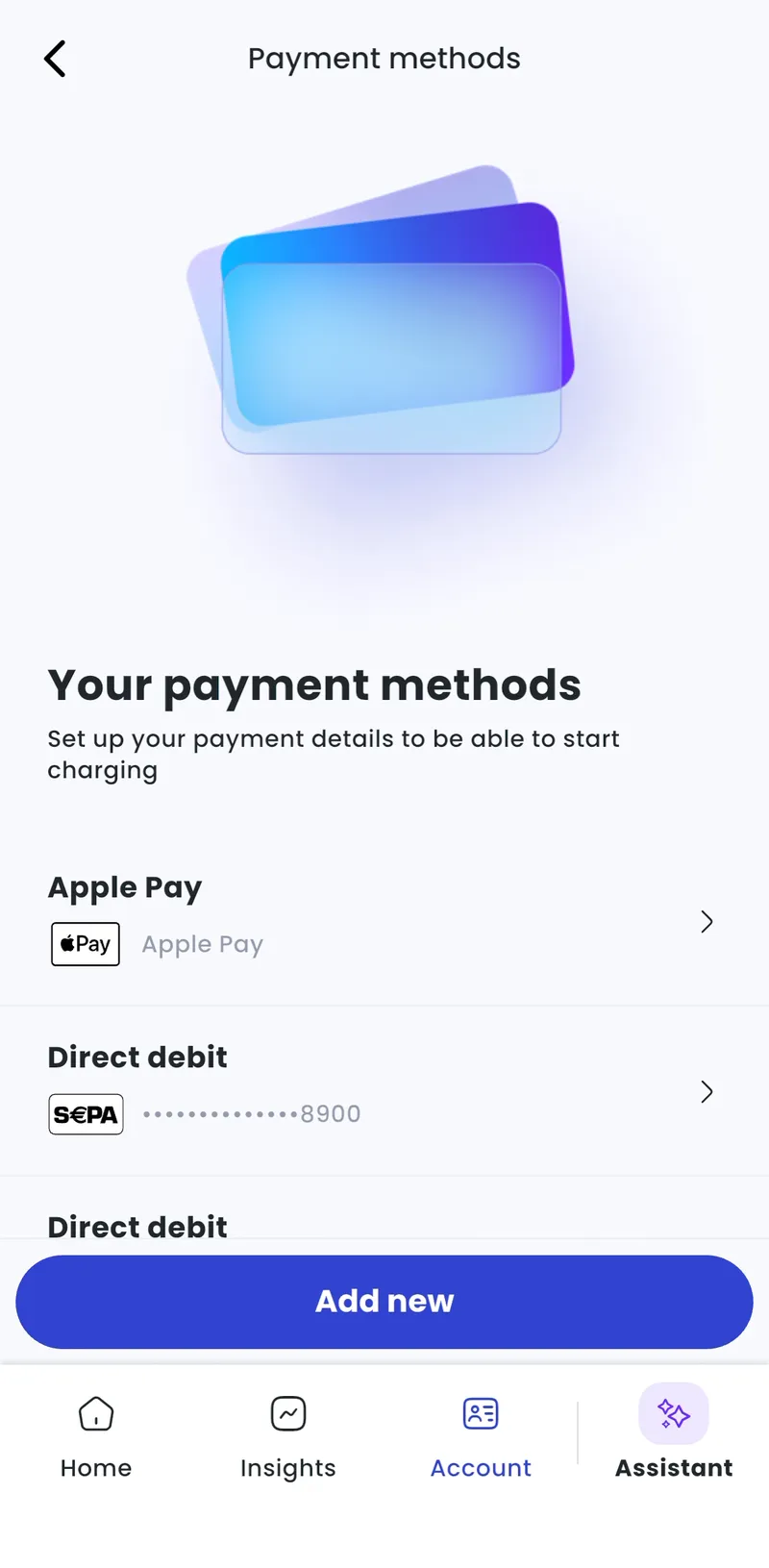
Tap Add new.
-
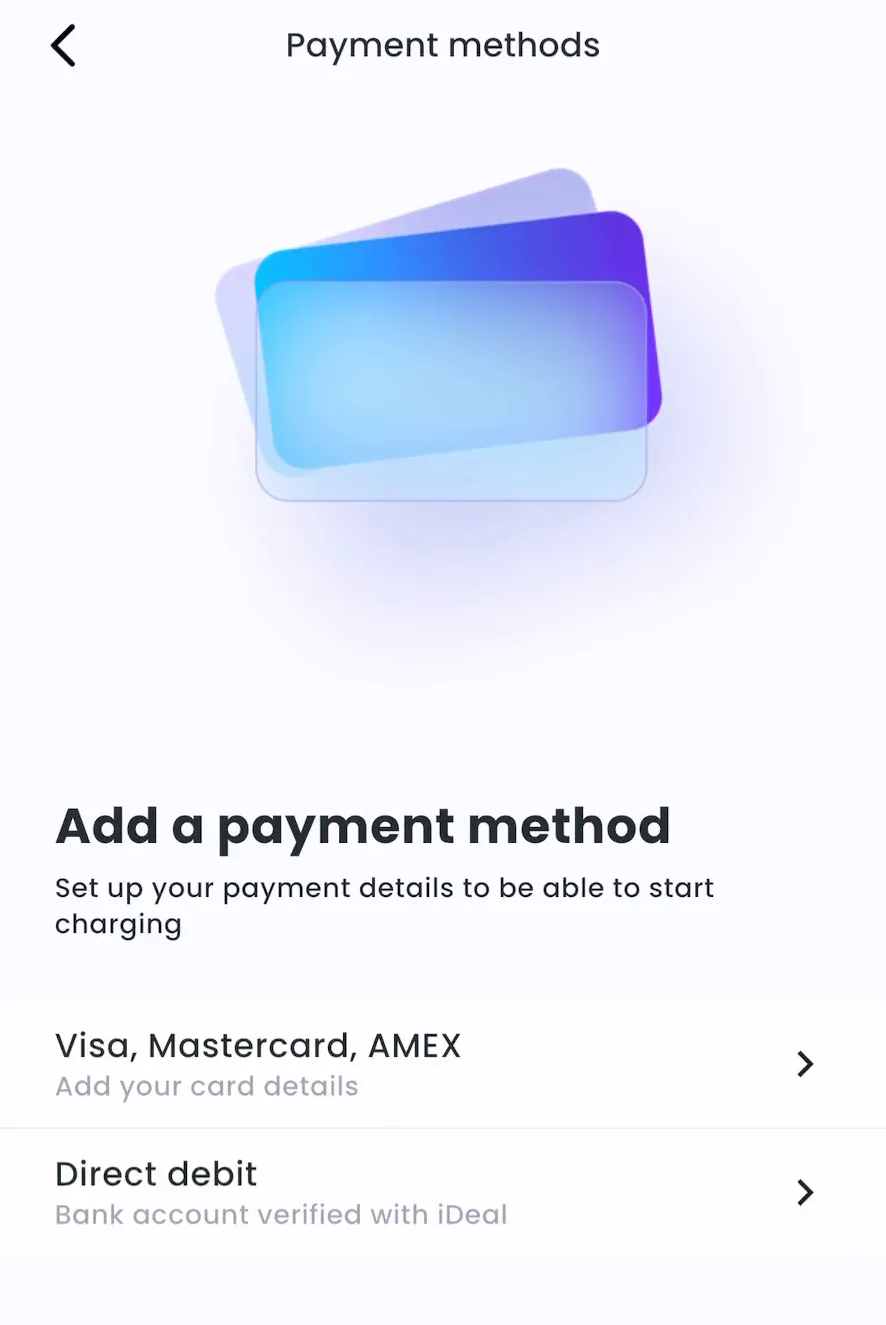
Choose Visa, Mastercard, AMEX or Direct debit and follow the steps.
Remove a payment method
Section titled “Remove a payment method”-
Account > Wallet > Payment methods
-
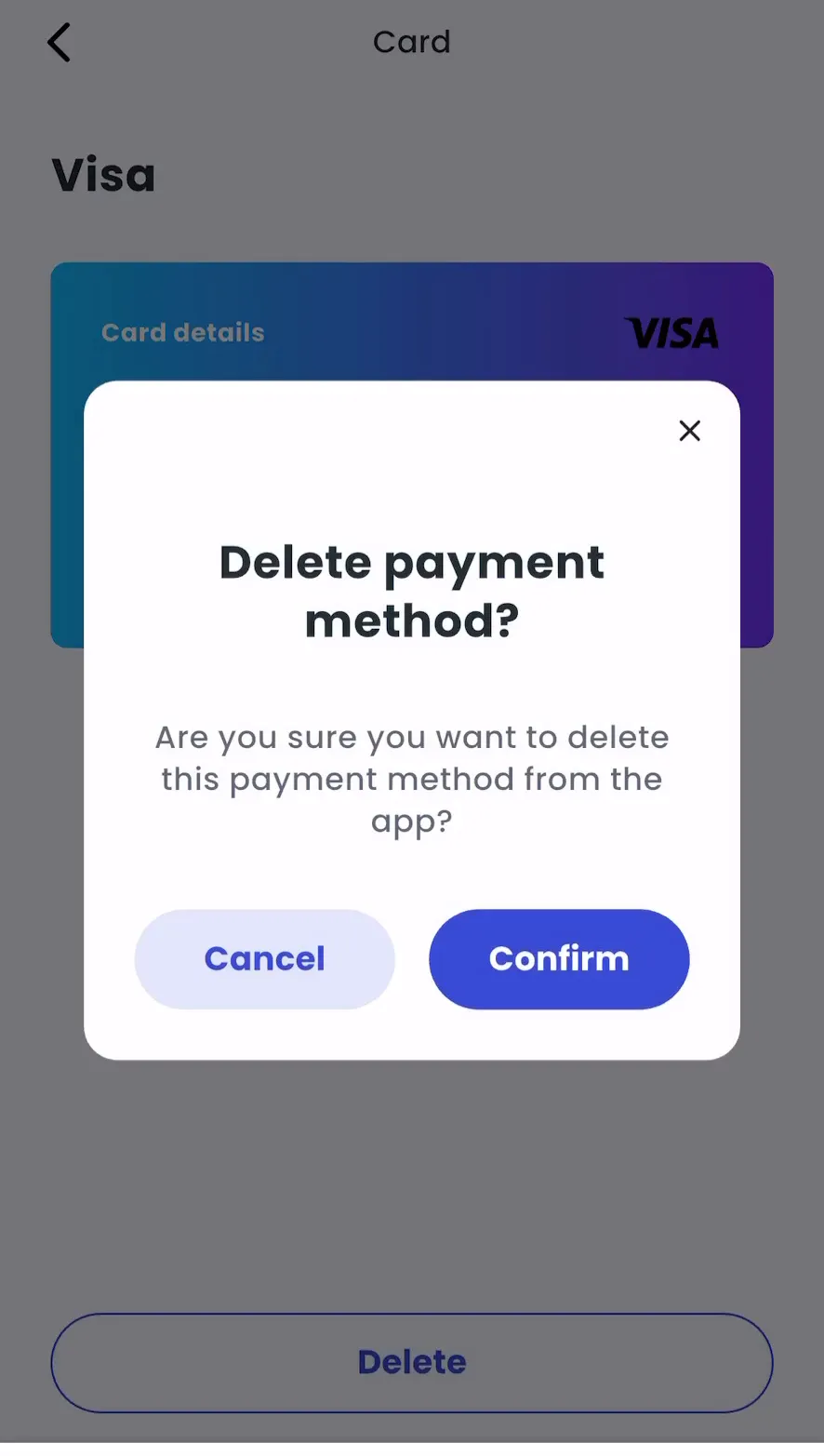
Select the payment method.
-
Tap Delete, then Confirm.
Add a promo code
Section titled “Add a promo code”Account > Wallet > Credits, then enter your code.