
Hager WITTY (EVCS) onboarding guide
Last updated:
You need access to the charger’s Hager web interface. Add the charger to your own Individual or Organisation Account. Installers: switch into your customer’s account first.
Copy your Tap URL
Section titled “Copy your Tap URL”-
With Manage selected at the top, open your location on the Home tab, tap Chargers, then Connect new chargers. For a new location, tap + below your locations on the Home tab.
-
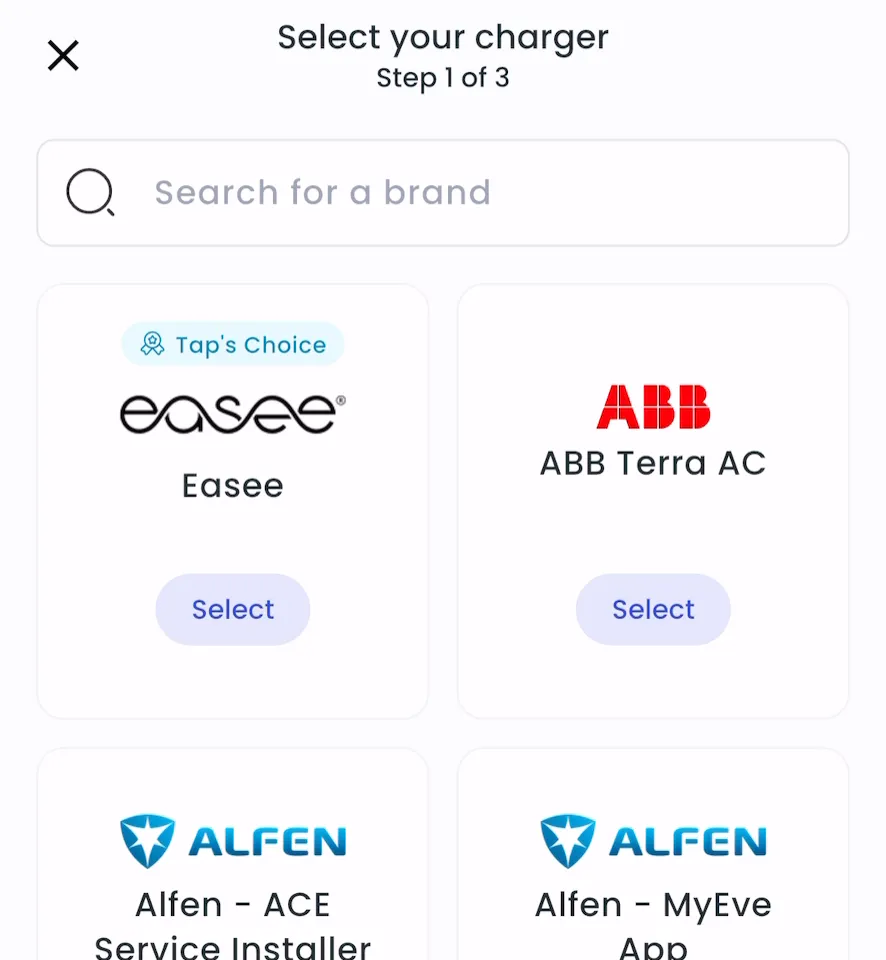
Search for Hager Witty (EVCS) and tap Select.
-
Copy the URL.
-
Locations > Connect new chargers, or click Connect new chargers on a location page.
-
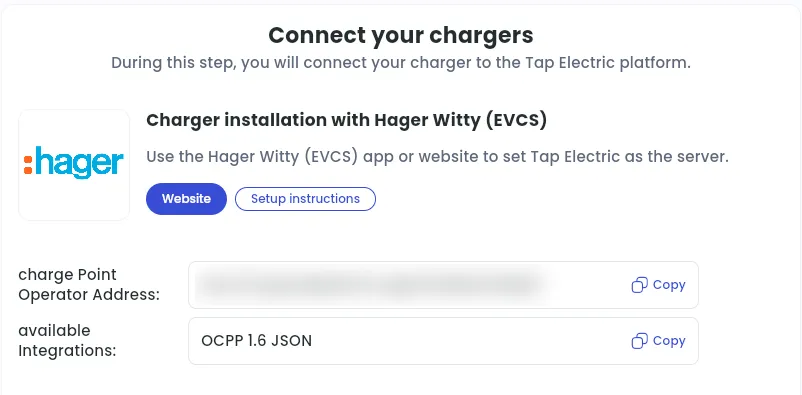
Under Choose your charger brand, search for Hager Witty (EVCS) and click it.
-
Next to charge Point Operator Address, click Copy.
Link Tap as the charge point operator
Section titled “Link Tap as the charge point operator”-
Open the Hager web interface and sign in with your Hager credentials.
-
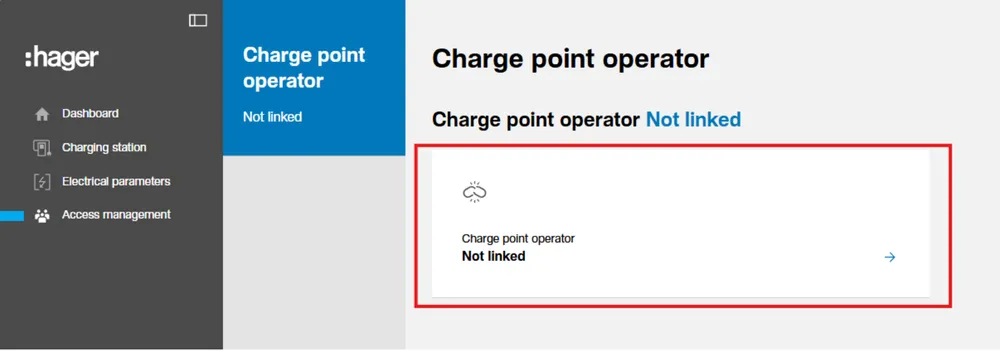
Go to Access Management and click Charge Point Operator.
-
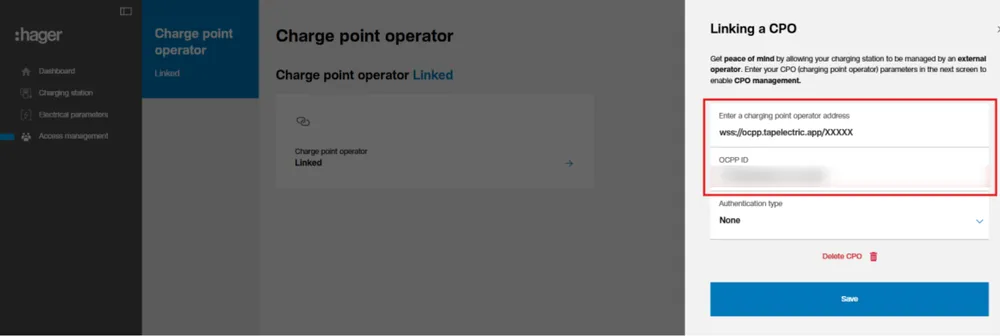
Paste the URL from Tap.
-
In OCPP ID, enter the ID the charger should have in Tap. Leave Authentication type as None.
-
Click Save.
-
Wait until the status changes to Linked.
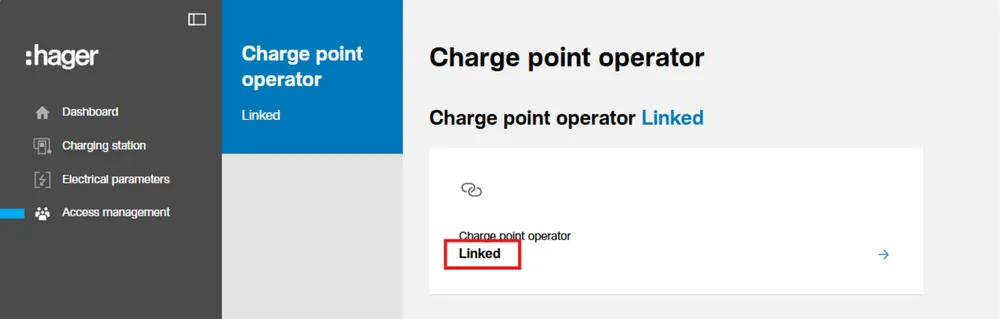
Add the charger in Tap
Section titled “Add the charger in Tap”- With Manage selected at the top, open your location on the Home tab, tap Chargers, then Connect new chargers. For a new location, tap + below your locations on the Home tab.
- Search for Hager Witty (EVCS) and tap Select. The charger appears in the list.
- Locations > Connect new chargers, then search for Hager Witty (EVCS) and click it again.
- Under Your chargers, check that the charger is listed, then click Continue.
Set the location
Section titled “Set the location”- Under Where is the charger?, choose New location and enter the address, or pick an Existing location.
- On You’re all set, choose what to do next, or tap Go to my location.
- Complete the Set location and Location settings steps.