
KEBA P30 series onboarding guide
Last updated:
You need a phone or laptop at the charger to connect to its hotspot. Have a newer KEBA P40? See KEBA P40 series onboarding guide. Add the charger to your own Individual or Organisation Account. Installers: switch into your customer’s account first.
Copy your Tap server details
Section titled “Copy your Tap server details”-
With Manage selected at the top, open your location on the Home tab, tap Chargers, then Connect new chargers. For a new location, tap + below your locations on the Home tab.
-
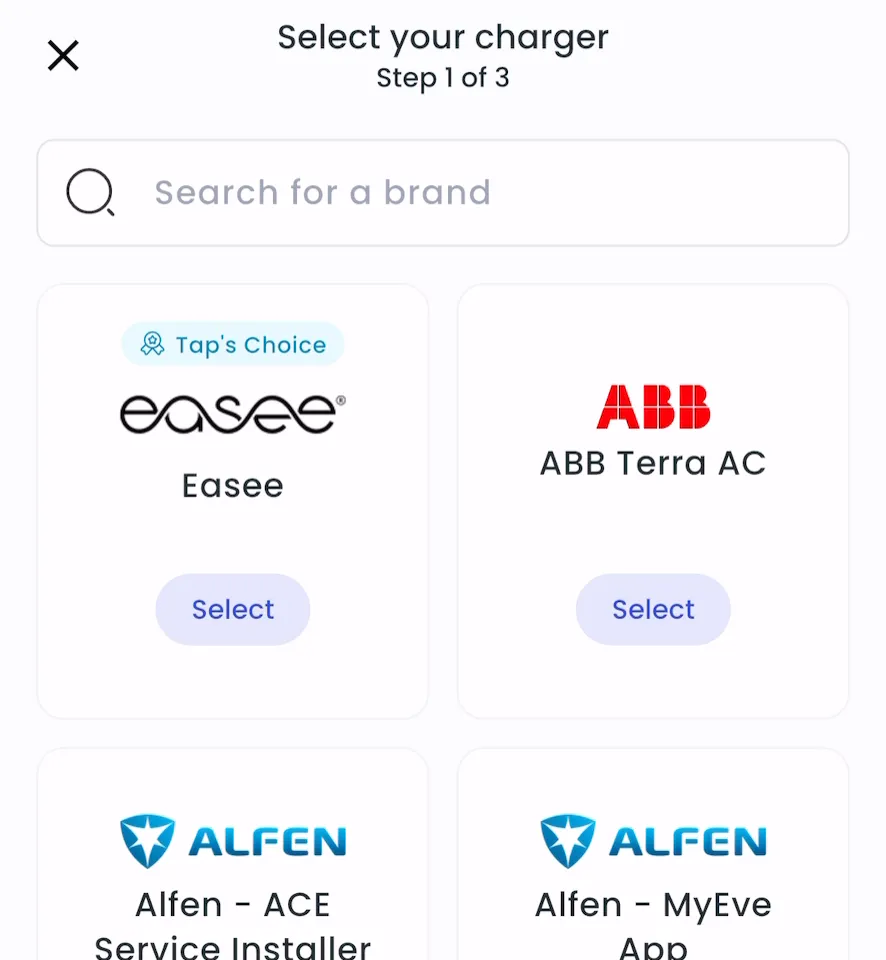
Search for KEBA P30 Series and tap Select.
-
Note the address, port and path.
-
Locations > Connect new chargers, or click Connect new chargers on a location page.
-
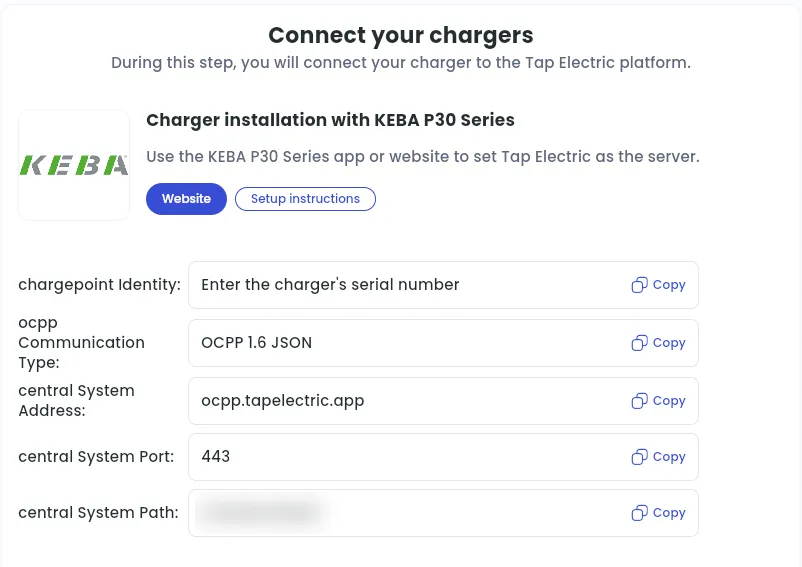
Under Choose your charger brand, search for KEBA P30 Series and click it.
-
Note the central System Address, central System Port and central System Path. Each has a Copy button.
Set Tap as the central system in the KEBA web interface
Section titled “Set Tap as the central system in the KEBA web interface”-
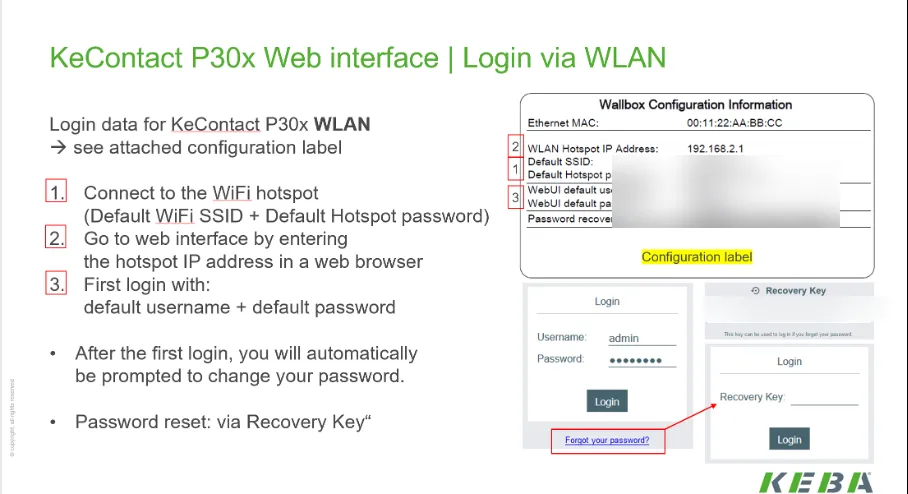
On your phone or laptop, connect to the charger’s Wi-Fi hotspot. By default, its name is the charger’s serial number; the password is on the charger’s configuration label.
-
In a browser, go to 192.168.2.1 and sign in with the web interface login from the configuration label. On first login, you’re asked to change the password.
-
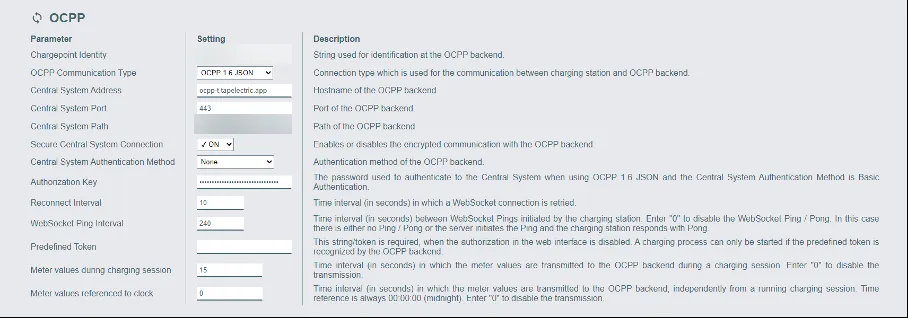
In the OCPP settings, set Chargepoint Identity to the charger’s serial number.
-
Set OCPP communication type to OCPP 1.6 JSON.
-
Enter the three values from Tap:
- Central System Address: ocpp.tapelectric.app
- Central System Port: 443
- Central System Path: the unique path for your account
-
Turn on Secure Central System Connection.
-
Click Apply. The charger confirms the changes and reboots, which can take up to a minute. If nothing changes, click Apply again.
-
After the reboot, check Status > Backend: State shows Connected.
After a minute, the charger appears in Tap. The charger’s screen shows Swipe card with all four LED segments blue.
Set the location
Section titled “Set the location”- Under Where is the charger?, choose New location and enter the address, or pick an Existing location.
- On You’re all set, choose what to do next, or tap Go to my location.
- Under Your chargers, check that the charger is listed, then click Continue.
- Complete the Set location and Location settings steps.